EVOZA

Custom business software / Melbourne

Custom CRM development shaped around the way your team sells

Connect the opportunity, quote and invoice in a workflow your staff can actually follow. We start with the job and its users, then decide whether an existing CRM, an integration or a tailored web app is justified.

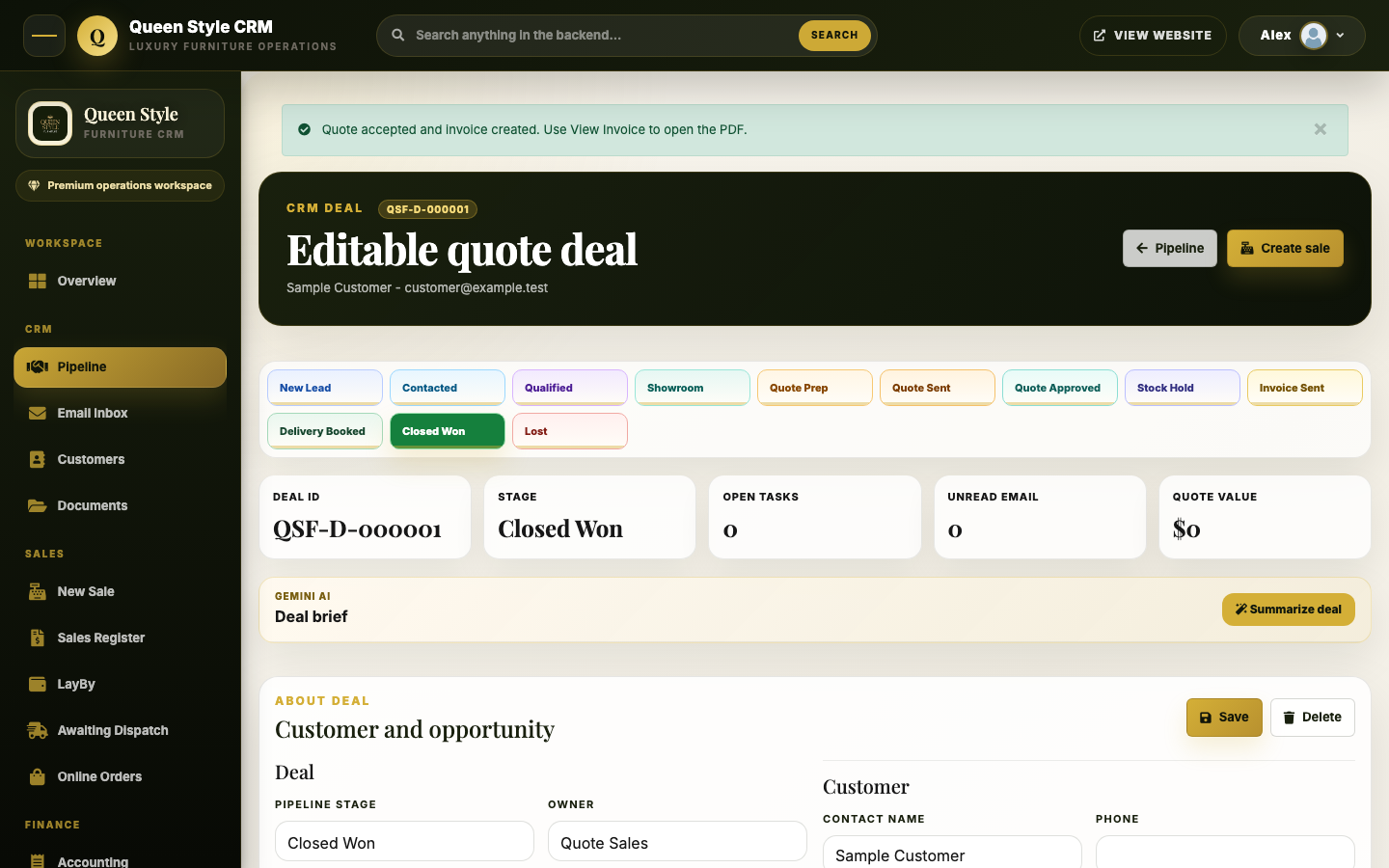
Actual Queen Style Furniture CRM deal workspace showing pipeline stages and invented sample records
Queen Style Furniture CRM · actual interface with invented sample records

The problem to solve

When the handoffs matter more than another dashboard

A generic CRM may cover contacts and stages while staff still copy details into a quote, lose the link to an invoice or keep a parallel spreadsheet to know what happens next. The cost is in the handoffs: who owns the next action, which record is current, and whether a change reaches the person who needs it.

We map one complete journey before proposing software. That means naming the users, stages, records, permissions, exceptions and acceptance checks. If configuration in your current CRM solves that journey well, that is the sensible starting point.

A useful first release

Build around the work, not a feature count

01 / Trace

Follow a real sale

Document how an opportunity enters the business, who qualifies it, when a quote is issued and what must happen before invoicing or delivery. Identify where staff currently re-enter data or lose context.

02 / Define

Set roles and records

Agree who can view, create, approve, edit or send each item. Define the source of truth for customer, product, price and payment information, plus the history needed to explain changes.

03 / Deliver

Test one full journey

Accept the release by completing the actual path with valid and invalid data, on the devices staff use. Check saved records, navigation, access control, attachments, errors and recovery.

Working example

Queen Style Furniture: deal to invoice

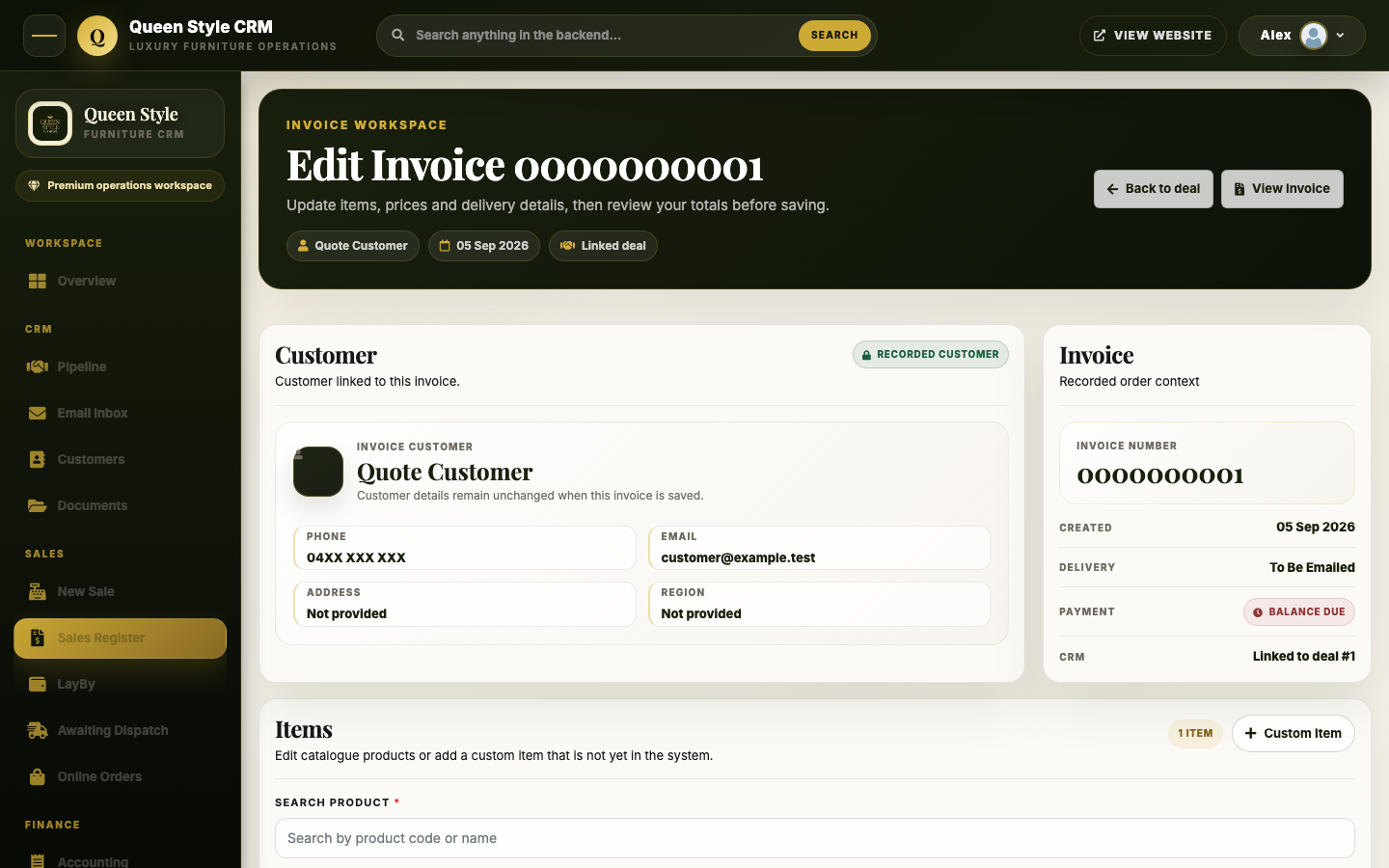
For Queen Style Furniture, Evoza built a deployed operations workspace with a furniture-specific sales pipeline and connected quote and invoice work. The deal view keeps the stage, customer, owner, tasks and quote context together. The invoice editor carries forward the related record and gives staff a clear return path.

The case study shows real interface screens with invented sample details. Focused workflow checks and an authenticated production view support the build and deployment claim. We have not published a sales uplift, time saving or customer adoption figure because none has been established for this page.

Read the CRM case study
Actual Queen Style Furniture CRM invoice editor with invented and masked sample data
Invoice editor · actual interface with invented and masked sample data

What belongs in a CRM brief?

List the people who use the system, the steps from lead to completed work, the current tools and data, required documents, approval points and important integrations. Identify any private or regulated information and explain who must retain control of accounts and records.

For the first release, choose the smallest complete journey that is worth testing. Reports, automation and secondary integrations can follow when the core flow works and the data is reliable.

How should you compare options and costs?

Compare configuring an established CRM, connecting existing tools and commissioning a custom application against the same workflow. Include migration, permissions, hosting, maintenance, support and handover in the decision. A custom build is justified when the repeated workflow benefit is strong enough to own those responsibilities.

We do not publish a one-size-fits-all CRM price. The scope and operating model determine the quote. Our app development cost guide explains how to prepare a comparable brief and identify ongoing costs.

You can use the whole website with analytics switched off.

Your choice is remembered on this browser for six months. Read our privacy notice.